Plenty of SEO belongs to content and marketing. This isn't that list. These are the items that break when a developer changes something, and that only a developer can fix.
They're ordered by the sequence a search engine goes through: can it reach the page, can it index it, can it render it, and does it understand what's on it. A problem early in that chain makes everything after it irrelevant.
Crawlability: can a bot reach the page?
robots.txt
Live at /robots.txt, and it's astonishing how often a staging file ships to production:
User-agent: *
Disallow: /Things worth knowing: Disallow prevents crawling, not indexing, so a blocked URL can still appear in results based on external links. Blocking your CSS and JS directories stops Google rendering the page properly. And a Disallowd page can never be seen to have a noindex tag, so the two directives fight each other.
XML sitemap
- Only canonical, indexable, 200-returning URLs
- Absolute URLs on the canonical domain and protocol
- Accurate
lastmodvalues, or none at all — a file where everything was modified today is ignored - Under 50,000 URLs and 50MB per file, with a sitemap index above that
- Referenced from
robots.txtwith aSitemap:line
A sitemap listing redirects, 404s or noindex pages actively wastes crawl budget. It's worth a script in CI that fetches every URL in the sitemap and asserts a 200.
Internal linking and status codes
Pages reachable only through a search box or a JavaScript-driven filter effectively don't exist. Every important page needs a real <a href> pointing at it from somewhere crawlable. Redirect chains should be collapsed to a single hop, and soft 404s — a "not found" page returning 200 — should be returning an actual 404.
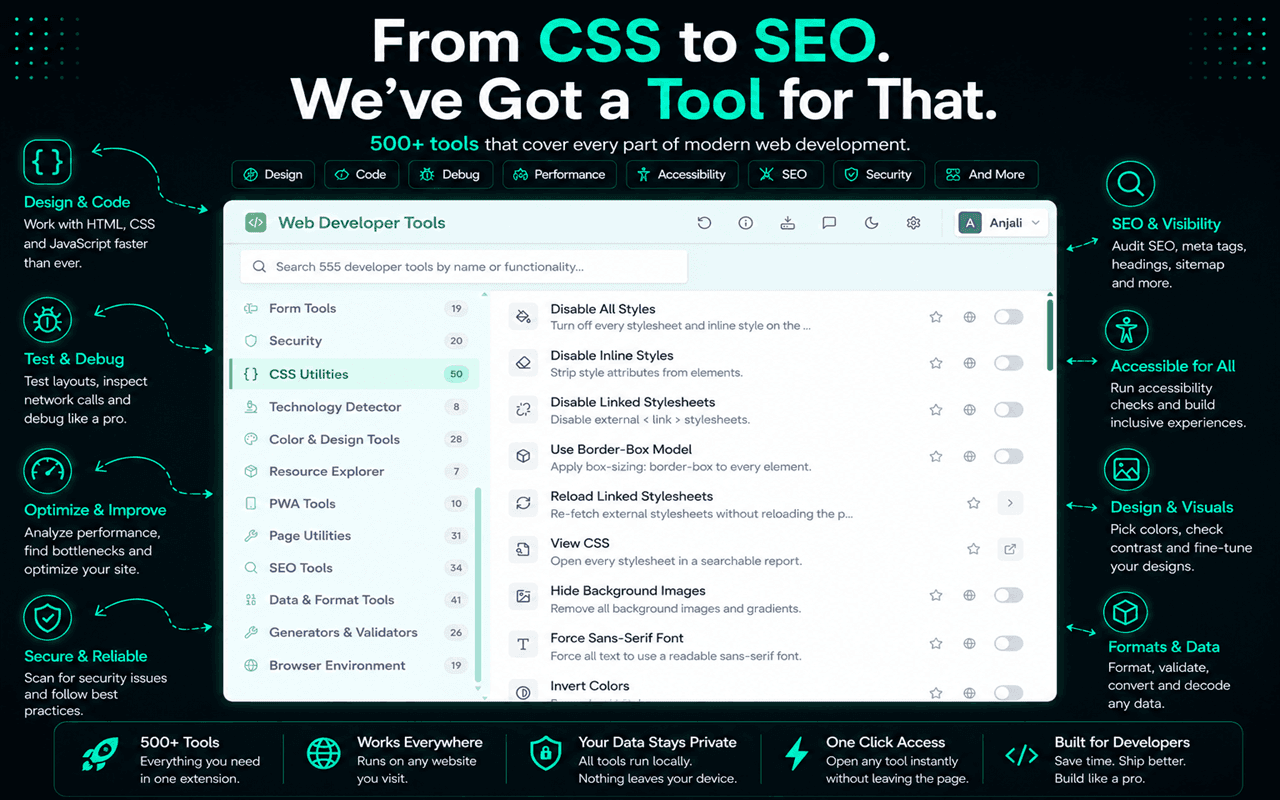
A Redirect Checker in Web Developer Tools traces the 301/302 chain to its final URL, and Open robots.txt and Open sitemap.xml save you typing the two files you check most often. Link Statistics and Internal Link Analyzer produce a table of every link on the page with its anchor text and target, which is how you find the nav item that's been pointing at a redirect for six months.
Indexing: should this page be in the index?
Two mechanisms, frequently confused, occasionally used together in ways that cancel out.
<!-- Keep it out of the index, but follow its links -->
<meta name="robots" content="noindex, follow">

<!-- Canonical: this page is a duplicate of another -->
<link rel="canonical" href="https://example.com/products/blue-widget">
Rules that save time later:
- Canonicals should be self-referencing on every indexable page, using the absolute URL
- A canonical is a hint, not a directive. Conflicting signals (canonical says A, sitemap says B, internal links say C) get resolved by the search engine, not by you
- Never combine
noindexwith a canonical pointing elsewhere — the signals contradict each other - Paginated pages should each self-canonicalise, not all point at page one
- Faceted URLs with tracking or filter parameters are the classic duplicate-content generator
The Canonical Conflict Detector and Duplicate Canonical Tag Detector catch the case where a template and a plugin both inject a canonical, which produces two tags and unpredictable behaviour. For the wider view, Meta Tags & Canonical shows the resolved title, description, canonical and robots values in one report.
Rendering: what does the crawler actually see?
Google renders JavaScript. It does so on a delay, with a budget, and not every other crawler does it at all. Social preview scrapers and most AI crawlers read the raw HTML only.
The practical test is simple: load the page with JavaScript disabled and see what's left. If the main content, the <title>, the meta description and the internal links are all still there, you're fine. If you get an empty <div id="root">, you're relying on rendering for everything.
The guide to disabling JavaScript covers the three ways to do it. Also compare Ctrl+U (raw source) against the DOM in DevTools, and use Search Console's URL Inspection tool, which shows you Google's own rendered HTML.
The <head> audit
| Element | What to check |
|---|---|
<title> | Unique per page, roughly 50–60 characters before truncation, primary term near the front |
<meta name="description"> | Unique, 150–160 characters, written as ad copy rather than a summary |
<link rel="canonical"> | Absolute, self-referencing, one per page |
<meta name="viewport"> | Present, width=device-width, doesn't block zoom |
<meta charset> | First thing in the head, utf-8 |
<html lang> | Set, and correct for the page's actual language |
| Open Graph | og:title, og:description, og:image (1200×630), og:url |
| Twitter Card | twitter:card, usually summary_large_image |
Meta Length Checker flags titles and descriptions outside the useful range, SERP Snippet Preview renders what the result will look like in Google, and Open Graph & Twitter Cards previews the social unfurl. Getting the OG image wrong is invisible until someone shares the page in Slack and it looks broken.
On-page structure
This overlaps heavily with accessibility, which is not a coincidence: both are about the document being genuinely structured rather than visually approximated.
- One
<h1>that describes the page - Heading levels that nest properly, no jumps from
h2toh4 - Descriptive anchor text — "pricing plans", not "click here"
- Meaningful
alton every content image - Semantic elements (
<article>,<nav>,<main>) rather than a sea of divs - Content in the HTML rather than in a background image or a canvas
For the heading side, use Heading Hierarchy Viewer and Check H1 Tags. For images, Highlight Missing ALT. For links, Highlight Nofollow Links, Highlight External Links and Highlight Sponsored & UGC colour-code the whole page so you can see at a glance whether your rel attributes are doing what you intended.
Structured data
JSON-LD is the format to use. Microdata and RDFa are supported but harder to maintain, since the markup and the data end up tangled together.
{
  "@context": "https://schema.org",
  "@type": "Article",
  "headline": "Technical SEO Checklist for Web Developers",
  "datePublished": "2026-07-21",
  "author": { "@type": "Organization", "name": "Web Developer Tools" },
  "image": "https://example.com/og/technical-seo.png"
}
The rules that matter: mark up what's genuinely on the page, fill the required properties for the type you're claiming, keep it consistent with the visible content, and validate it. Marking up reviews that don't exist is the fastest route to a manual action.
Validate with Google's Rich Results Test and the Schema.org validator. Locally, Structured Data Viewer extracts JSON-LD, Microdata and RDFa from the page, Schema Validator checks what it finds, and Rich Results Detector tells you which rich result types the page currently qualifies for.
International sites
hreflang is fiddly and gets implemented wrong more often than right. Three rules cover most of it:
- 1It must be reciprocal — if the English page points at the German one, the German one must point back
- 2Every page in the set must include a self-referencing hreflang
- 3Include an
x-defaultfor the fallback, and use correct codes (en-GB, noten-UK)
WDT's Hreflang Viewer lists the tags on the current page so you can check reciprocity by opening both sides.
Performance, because it's a ranking factor
Core Web Vitals feed into ranking, and more importantly they feed into whether anyone stays. The performance testing checklist covers this properly, but the SEO-specific angle is:
- Field data from CrUX is what counts, not your lab score
- It's assessed per URL group, so a slow template drags down every page using it
- Mobile is the measurement that matters, since indexing is mobile-first
The pre-release check
Six things, every deploy that touches routing, templates or the head:
- 1
robots.txtdoesn't block anything it shouldn't - 2No stray
noindexon production templates, in the meta tag or the header - 3Canonicals resolve to the live, absolute URL — including protocol and www choice
- 4The sitemap contains only 200-returning canonical URLs
- 5Titles and descriptions are unique and present on every route
- 6The page has meaningful content with JavaScript disabled
The noindex one is worth automating. A staging flag that leaks into production has quietly cost more traffic than every other item on this list combined.
The structural half of this overlaps directly with inspecting HTML, and images carry both SEO and performance weight, which is covered in analysing images on a page. Before a launch, fold these into the full QA checklist.