Launch checklists fail for the same reason most checklists fail: they're too long to actually complete, so people skim them, so the important items get the same two seconds as the trivial ones.
This one is ordered by consequence. The first section contains things that cost money or traffic the moment you go live. The last section contains things you can fix on Tuesday. If you run out of time, run out of time from the bottom.
Tier 1: the ones that hurt immediately
Search engines can see the site
robots.txtdoes not containDisallow: /- No
noindexmeta tag on production templates - No
X-Robots-Tag: noindexin the response headers — this one is invisible in the HTML - Staging isn't the thing that got indexed instead: it should be blocked and password-protected
A staging noindex reaching production is the single most expensive launch bug there is, and it can go unnoticed for weeks. Check it from a browser on production, not from a config file in a repo. The technical SEO checklist covers the surrounding detail.
Money paths work end to end
- Complete a real purchase or signup, in production, with a real payment method
- The confirmation email arrives, from the right sender, not in spam
- Failed payments show a useful error rather than a blank screen
- Contact and lead forms deliver to a mailbox someone actually reads
- Webhooks fire against production endpoints, not the test ones
Test the failure paths, not just the happy one. Declined cards, expired sessions, double submissions, the back button mid-checkout.
The URLs that used to exist still do
- Every old URL 301s to its new equivalent, not to the homepage
- Redirect chains are collapsed to one hop
- The canonical host is settled — one of www or apex, redirecting the other
- HTTP redirects to HTTPS everywhere
- The sitemap contains only live, canonical, 200-returning URLs
Redirecting everything to the homepage is the classic migration mistake. It looks like you handled it and it destroys the accumulated value of every one of those pages.
Nothing is on fire in the console
Load the top pages, interact with them, and read the Console and Network panels. Errors, 404s, failed API calls, CSP violations. The guide to finding broken links, images and page errors covers a fifteen-minute version of this sweep.
Tier 2: things users hit within a day
Cross-browser and cross-device
Minimum viable matrix: Chrome and Safari on desktop, Safari on iOS, Chrome on Android. Firefox if your analytics say it matters. Real devices for at least one iOS check, because emulation doesn't reproduce Safari.
The responsive testing guide has the full method. The compressed version:
- 1Drag the viewport from 320px to 1600px and note where anything breaks
- 2Check for horizontal overflow at 320px and 360px
- 3Rotate to landscape on a phone-sized viewport
- 4Zoom to 200% and confirm nothing is cut off
- 5Confirm tap targets in dense navigation are big enough
Forms
- Every field has a label, and errors are announced as well as shown
- Validation messages say what's wrong and how to fix it
- Required fields are marked in the markup, not only visually
- The form survives a double-click on submit
autocompleteattributes are set on name, email, address and payment fields- Long forms don't lose their data on a validation failure
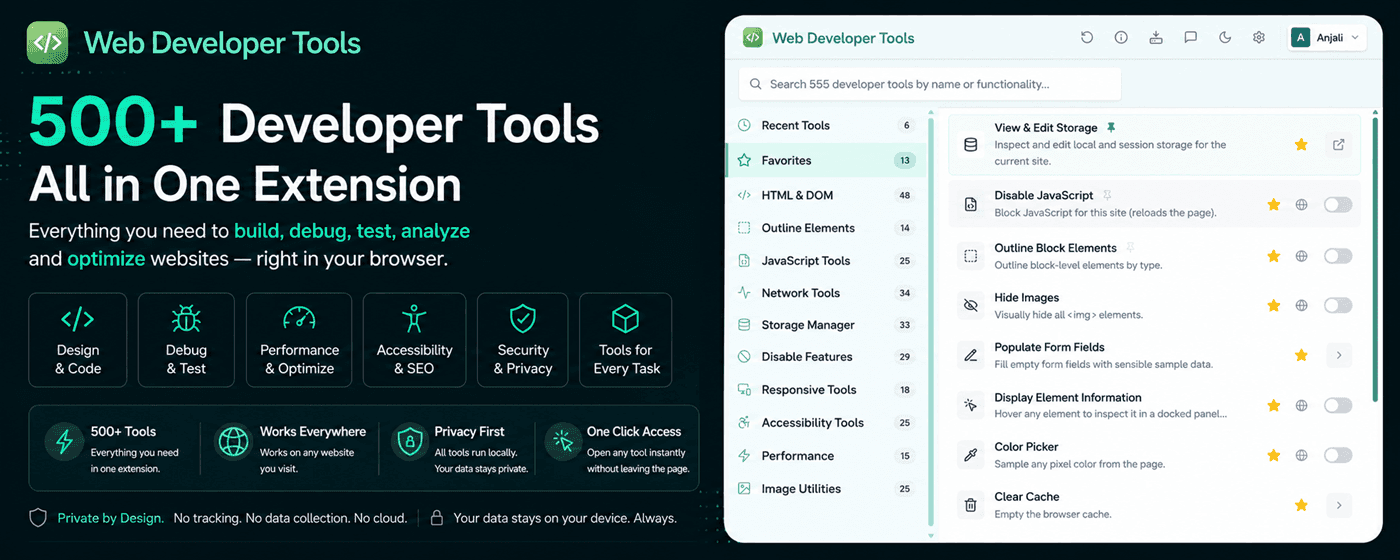
Filling out a twelve-field form by hand for each test is why nobody tests forms thoroughly. Web Developer Tools has Populate Form Fields, which fills every empty field with sensible sample data in one click, plus Clear Form Fields to reset. Alongside them: Display Passwords to see what's actually in a masked input, Enable Form Fields to remove disabled and readonly for testing, Remove Form Validation to test what the server does when the client-side checks are bypassed, and View Form Information for a report of every form and field on the page.
Content and copy
- No lorem ipsum, no placeholder images, no
TODOin the HTML - No test data in the CMS — the "asdf" product and the "Test User" testimonial
- Legal pages exist and are linked: privacy, terms, cookie policy
- Contact details, company registration and VAT numbers are correct
- The copyright year isn't hardcoded to last year
- 404 and 500 pages are branded, useful, and return the right status code
WDT's HTML Comments Viewer dumps every comment in the document, which is a quick way to find the notes someone left for themselves. Worth running before launch for reasons beyond tidiness.
Tier 3: performance and accessibility
Both deserve their own passes, and both have dedicated checklists: performance testing and accessibility testing. The launch-day subset:
Performance
- 1LCP under 2.5s on a throttled mobile connection
- 2The LCP image is correctly sized, in a modern format, and not lazy-loaded
- 3Every image has
widthandheightattributes - 4Compression is on for HTML, CSS and JS
- 5Static assets have long cache headers; HTML does not
- 6Non-essential scripts are
deferred - 7Nobody shipped a source map or an unminified bundle by accident
Accessibility
- 1Tab through every key page — focus is visible and the order makes sense
- 2Every modal can be closed with
Escand doesn't trap focus - 3Contrast passes on body text, buttons and placeholder text
- 4Every image has appropriate alt text, empty for decorative ones
- 5Headings nest properly with one
h1per page - 6
<html lang>is set
Tier 4: security and privacy
The full version is in the security checks guide. Before launch specifically:
- Security headers are set: CSP, HSTS,
X-Content-Type-Options,X-Frame-Options,Referrer-Policy - Session cookies carry
HttpOnly,SecureandSameSite - No mixed content on any page
- No API keys or internal endpoints in the client bundle
- No source maps in production
X-Powered-Byand versionedServerheaders are disabled- Default admin credentials are changed and admin paths aren't guessable
- The consent banner actually blocks scripts before consent, rather than just displaying a message
That last one catches a lot of sites. A cookie banner that loads analytics before you click anything is decorative, and in some jurisdictions it's a compliance problem rather than a UX one.
Tier 5: the operational layer
Easy to forget because none of it is visible on the site:
| Item | Check |
|---|---|
| Analytics | Firing on production, filtering internal traffic, goals configured |
| Search Console | Property verified, sitemap submitted, both host variants added |
| Error monitoring | Receiving events from production, alerting someone who's awake |
| Uptime monitoring | Checking a real page, not just the load balancer health endpoint |
| Backups | Running, and restored at least once to prove they work |
| SSL | Auto-renewal configured and expiry monitored |
| DNS | TTL lowered before a migration, raised after |
| SPF, DKIM and DMARC set so transactional mail isn't spam-filtered | |
| Rollback | A tested way back, not a plan to write one under pressure |
The last hour
After the deploy, before you tell anyone:
- 1Load the homepage in a private window — no cache, no extensions, no logged-in state
- 2Check
robots.txtand one page's<head>in view-source - 3Complete one real transaction or signup
- 4Open the Console on the three highest-traffic pages
- 5Load the site on your phone, on mobile data rather than wifi
- 6Confirm analytics recorded your visit
- 7Confirm error monitoring is receiving events
- 8Share the URL in a chat app and check the social preview renders
That last one takes ten seconds and catches a missing or wrongly-sized og:image, which is otherwise discovered by whoever first shares the launch announcement.
Make the checklist repeatable
A launch checklist you run once is a document. A launch checklist you run every release is a process, and it's the second one that prevents regressions.
The parts worth automating in CI: link checking on internal links, a Lighthouse run with a score threshold, an axe scan, a sitemap fetch asserting 200s, and a test that fails on console errors. The parts that stay manual: completing a transaction, tabbing through a page, and looking at it on a real phone.
For the manual half, having the checks a click away matters more than it sounds. WDT's 555 tools cover most of the page-level items above — outline headings, missing labels, contrast, broken images, security headers, meta lengths, overflow detection, form population — and favourites keep the ten you use every release at the top of the popup.
The three deepest sections here have full guides of their own: accessibility testing, performance testing and technical SEO. Work through those once and this checklist becomes a confirmation pass rather than a discovery exercise.